You’ve landed your first developer role or maybe you’re still applying — starry-eyed, motivated, and ready to prove yourself. But just as you’re building your career, there’s a darker corner of the internet watching your every move. Scammers. And sadly, they see junior developers not just as emerging talent, but as easy prey.
This article dives deep into why scammers target junior developers, the psychological and technical tactics they use, and how you can protect yourself. Whether you’re fresh out of a coding bootcamp or self-taught and hustling for your first gig, understanding this landscape is crucial. Because while your journey into tech should be exciting and empowering, scammers can quickly turn it into a nightmare.
Let’s explore the patterns, the red flags, and most importantly, how to outsmart those looking to exploit your ambition.
Understanding Who Junior Developers Are
So, what exactly is a junior developer?
A junior developer is someone at the start of their coding career. They may have recently graduated, finished a bootcamp, or spent months self-learning through YouTube and Stack Overflow. While they may have solid foundational knowledge, they often lack on-the-job experience, deep understanding of team workflows, and confidence in navigating the professional tech space.
This stage is exciting—but also fragile.
Junior developers often:
- Don’t yet know how hiring works in tech
- Aren’t sure what a “normal” recruitment process looks like
- Don’t have many (or any) mentors
- Are incredibly eager to land their first job
- Share a lot online (portfolios, contact info, resumes)
To a scammer, this combination is gold. It means there’s someone highly motivated, possibly desperate, likely inexperienced, and publicly accessible. Scammers know junior devs want to prove themselves and will often say “yes” to opportunities that more seasoned devs would flag immediately.
But it’s not the juniors’ fault — it’s the system, the learning curve, and the pressure cooker of the job market that sets them up.
The Rise of Tech Scams in the Digital Age
Scammers used to focus mostly on things like banking fraud and Nigerian prince emails. Now? They’ve gone full startup mode.
Today’s scams are sleeker, smarter, and disturbingly professional. The rise of remote work, freelancing, and international hiring has made it much easier for scammers to pretend to be legitimate companies or recruiters. The blurred lines between real and fake in tech hiring are a playground for fraudsters.
Tech platforms like LinkedIn, Upwork, GitHub, and Discord — once seen as safe communities — are now hunting grounds for opportunists.
Why?
- The barriers to creating fake identities are low
- Scammers can automate their outreach to thousands of users
- There’s little to no accountability unless someone reports them
- Many platforms fail to verify employers or users properly
For junior developers entering the industry, it’s easy to believe the person messaging you is a real recruiter — especially when they use polished language and fake company emails. This is the modern scam — and it’s tailor-made for the digital generation of developers.
Common Scams Targeting Junior Developers
Let’s break down the most common traps.
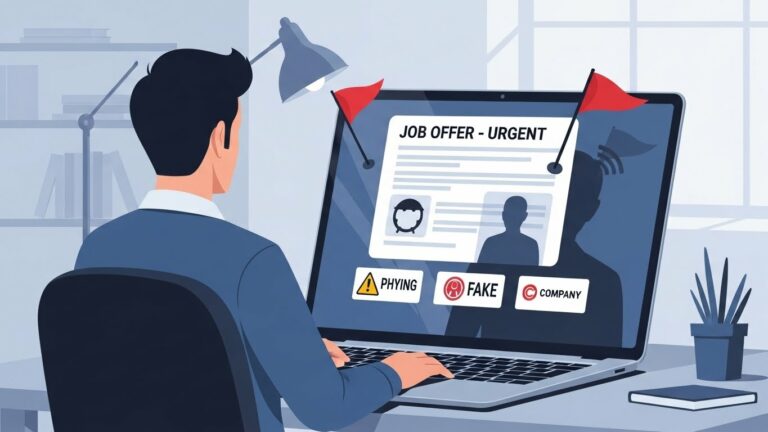
1. Fake Job Offers:
You apply to what looks like a real job. You even get an interview (via chat or Zoom). Everything seems fine… until they ask for:
- Payment for “training materials”
- Your bank info for “salary setup”
- Access to your computer for “onboarding”
That’s when you know you’ve been had.
2. Unpaid Trial Tasks:
You’re asked to complete a “test project” — maybe a landing page or small web app. They say it’s part of the selection process. You spend hours, even days, working on it. But after submission, they ghost you.
Turns out, they’ve been farming free work from multiple developers.
3. Phishing and Social Engineering:
You get an email that looks like it’s from GitHub or your dream company. It has a link. You click. Boom — malware, stolen credentials, or worse.
4. Crypto & Investment Scams:
This one’s newer. A recruiter says the company is offering equity or “token bonuses.” They encourage you to invest or buy tokens early. You do… and the company disappears.
Scammers are always evolving. And they know how to make scams feel like golden opportunities, especially to a junior dev hungry for a breakthrough.
Why Scammers Specifically Target Juniors
Let’s be real: junior developers are the perfect mark for scammers. But why? What is it about being early in your tech journey that puts a target on your back?
First off, it’s the lack of experience. Not just in coding — but in how companies actually hire. Juniors might not know that legit companies never ask for upfront payments or that unpaid trial work should be limited and agreed upon clearly. Scammers exploit that knowledge gap, throwing jargon and authority around to confuse and impress.
Then there’s the desperation factor. We’ve all been there — sending out 50 resumes a day, getting ghosted, doubting ourselves. Scammers sense that vulnerability. When they offer a job, it feels like a lifeline. It’s flattering, relieving, even exciting — and that’s how they hook you. You want it to be real so badly, you ignore the red flags.
Another reason? Over-sharing.
Juniors are taught to be visible:
- Post your resume
- Share your GitHub
- Be active on LinkedIn
- Network in Discord and Slack
That’s great advice — but it also exposes you. Scammers can easily find your email, your tech stack, even your current projects. They use that info to personalize their approach, making their scam feel more legit.
Finally, many juniors don’t question authority yet. If someone with a “Senior Recruiter” title messages you on LinkedIn, most juniors take it seriously. That misplaced trust is exactly what scammers need.
So it’s not that juniors are careless — they’re just eager, trusting, and navigating unfamiliar waters. Scammers know this and use it to strike early — before you’ve built your defenses.
Psychological Triggers Exploited by Scammers
Scams don’t just work because of technical tricks. They work because they manipulate how we think and feel — especially under pressure. Let’s look at the mind games scammers play with junior developers.
1. FOMO (Fear of Missing Out)
“This opportunity will close soon.”
“We only have one more slot for the beta program.”
“If you don’t act now, someone else will take your spot.”
Scammers use urgency to trigger impulsive decisions. Juniors, already eager to land something — anything — often act fast without verifying.
2. Impostor Syndrome
New developers constantly question whether they’re “good enough.” Scammers prey on that.
They might say things like:
- “You’re lucky we’re even considering someone at your level.”
- “We usually don’t work with juniors, but your profile stood out.”
This makes you feel like you’re getting a rare chance, and you don’t want to blow it by asking too many questions.
3. Authority Bias
If someone sounds like a senior engineer or recruiter, we trust them more. Scammers often use fake titles and professional-looking profiles to seem legitimate. Juniors often don’t know what to expect from real recruiters, so it’s easy to fall for a polished lie.
4. Reciprocity
They compliment your portfolio. They say nice things about your code. They act like they’re doing you a favor. This creates a sense of obligation. When they ask you to complete a “test project” or sign something, you feel like you owe them.
5. Hope & Validation
For many juniors, just hearing “We want to hire you” is incredibly validating. Scammers know how to mirror your dreams back to you. They say what you want to hear. It’s emotional manipulation — and it works frighteningly well.
In short, scammers don’t just exploit your skills — they exploit your mindset. Knowing how they operate can help you build the emotional armor to spot and resist these traps.
Social Media and Online Platforms: A Playground for Scammers
You might think places like LinkedIn, Discord, or GitHub are safe — after all, that’s where devs hang out, right? True. But guess what? That’s also where scammers hang out, pretending to be part of the community.
LinkedIn Scams
Scammers create fake recruiter profiles, sometimes even impersonating real employees at well-known companies. They reach out with enticing job offers — all very professional sounding — and then slowly start asking for personal info, documents, or even money for background checks.
Red flags to watch for:
- Poor grammar in messages
- Profiles with few connections or endorsements
- Unusual job titles or employment histories
- Pushy requests to move the conversation off-platform
Discord & Slack Scams
Communities meant to support developers are being infiltrated. Scammers might pretend to be admins or community managers, offering mentorship, freelance gigs, or job trials. Some might send sketchy links disguised as “resources.”
They often build trust slowly before asking for:
- Work on a “test project”
- Access to your laptop or repo
- A “small payment” to unlock tools or info
GitHub Manipulation
Ever gotten a random message or invite to contribute to a new repo? Sounds flattering, right? Be careful. Some scammers use GitHub to:
- Steal code
- Distribute malware
- Trick you into giving repo access
They know juniors crave exposure and real-world projects — and they use that against you.
Bottom line: being online isn’t the problem — being unaware is. These platforms are powerful tools for career growth. But always vet people who reach out to you, especially if the conversation shifts to anything involving money, secrecy, or urgency.
Real-World Case Studies
Let’s bring this into reality. These are true-to-life scenarios based on actual experiences reported by junior developers. You’ll see exactly how scammers operate — and how easy it is to fall for these traps.
Example #1: The Fake Startup Trap
Jared, a junior developer from Brazil, was contacted on LinkedIn by someone claiming to be the CTO of a fast-growing US-based startup. The message was slick, friendly, and full of startup buzzwords — “remote-first,” “agile,” “disruptive product,” etc.
After a short, informal Zoom interview, they offered Jared a “paid internship,” asking him to start with a small onboarding task: build a dashboard UI. It looked legit. He worked hard on it, even pulled a few all-nighters.
Then came the “next step”: access the company’s dev environment through a special VPN client. The link required a software download — which turned out to be malware. Jared’s laptop was compromised. He lost access to his GitHub and email, and the “company” vanished.
Example #2: The Trial Project That Never Ends
Maria, fresh out of a bootcamp, was eager for experience. A recruiter found her via a coding Slack community and offered her a freelance gig to “prove herself.”
She completed the first task — a React component. Then another. Then a full page. Each time, she was promised payment after “one more task.”
She ended up building an entire front-end UI over two weeks. Then the recruiter ghosted her. The company’s website was fake. She was used as free labor, and there was no recourse.
Example #3: Phishing Through GitHub Contribution Invites
Ravi received a GitHub invitation to collaborate on an open-source crypto dashboard. He was flattered — the repo looked active, and the contributors had solid-looking profiles.
He cloned the repo and followed setup instructions, which included installing a “custom package” from a private source. That package contained a keylogger.
His credentials, 2FA codes, and SSH keys were all compromised. His GitHub account was hijacked, and his projects were deleted. The repo? It disappeared the next day.
Red Flags Juniors Often Miss
Scammers are smart — but they leave breadcrumbs. The problem is, most junior developers don’t know what to look for. Let’s change that.
Here are red flags you should never ignore, even if everything else feels legit:
1. Vague or Too-Good-to-Be-True Job Descriptions
If a job post or message says things like:
- “No experience required, just talent”
- “Make $3,000/month with only 10 hours/week”
- “We’ll train you — just pay for materials”
…that’s a problem.
Legit companies are clear about:
- Tech stacks
- Responsibilities
- Contract terms
- Interview steps
2. No Online Presence
If the company has:
- A website with no real content
- No LinkedIn page or employees
- No GitHub activity
- No mentions on the web
…it probably doesn’t exist. Don’t rely only on what they show you — search externally.
3. Asking for Money or Personal Info Early
This is the biggest red flag. Legit employers:
- Don’t ask for payments
- Don’t need your passport up front
- Never ask for your banking info before a signed contract
If they ask for money “to hold your spot,” or for “background checks,” walk away.
4. Unusual Communication Tools
If someone insists on chatting only via:
- Telegram
- Signal
…without ever offering a company email or phone call, be suspicious.
Professional recruiters usually use:
- Company domains (@company.com)
- LinkedIn messaging
- Google Meet or Zoom (with verified IDs)
When in doubt, ask for a quick call. Scammers often avoid voice/video.
5. Fast-Tracking Without Vetting You
If you get offered a job:
- After one short chat
- Without a coding test or real interview
- Without talking to a team lead or manager
…it’s probably fake. Quality companies vet candidates thoroughly — and expect you to vet them, too.
The Role of Recruiters and Fake Hiring Managers
Let’s dive into one of the most deceptive tactics: impersonating recruiters.
Scammers have learned that one of the fastest ways to gain trust is to pose as hiring professionals. They craft realistic LinkedIn profiles, complete with company logos, job histories, and mutual connections.
How They Impersonate Real People
Some even clone real recruiters — using names and photos from actual companies. They might contact you saying:
“I work with XYZ Tech. We found your portfolio impressive and want to schedule an interview.”
They’ll even reference your GitHub or resume details — which they scraped online.
Once trust is established, they’ll:
- Ask for personal details
- Request you to complete projects
- Send links or files to download
- Eventually disappear once their goal is achieved
Techniques They Use to Build Trust
- Use technical language to sound like insiders
- Fake urgency to stop you from asking questions
- Offer flattery, saying you’re “exactly what they’re looking for”
- Mirror your profile — referencing your stack, school, or projects
Many juniors assume that if someone sounds technical and knows your skills, they must be real. Don’t fall for it.
How to Spot a Fake Recruiter
- Search their name on LinkedIn and cross-reference their details
- Check if they’re listed on the company’s actual website
- Ask to connect via their official company email, not Gmail or Outlook
- Ask them to confirm details about the company’s open roles (which you can find online)
When in doubt — ask someone in the community. There are always experienced devs willing to help validate opportunities.
The Impact of These Scams on Junior Developers
The damage caused by these scams goes far beyond losing a few hours of work or a hacked GitHub account. For junior developers, the emotional and professional toll can be devastating, and in some cases, even career-altering.
Emotional Burnout and Betrayal
Imagine working tirelessly on a “test project” for what you think is your big break—only to find out it was all fake. You don’t just feel disappointed. You feel betrayed, ashamed, and violated. That trust you had in the process? It’s shattered.
Many juniors report:
- Anxiety every time a new recruiter messages them
- Fear of applying to jobs
- Embarrassment for being “too trusting” (when it’s not their fault at all)
Scams hit where it hurts: your hope, your motivation, and your belief that you can succeed in tech.
Loss of Motivation and Confidence
After a scam, it’s common to second-guess everything:
- Is this job legit?
- Should I even keep trying?
- What if I’m not cut out for this?
Some developers withdraw from online communities altogether. Others stop applying for jobs out of fear. A few even give up on tech completely — not because they weren’t good enough, but because they were burned too early.
Financial Damage
In some cases, juniors lose money — either from:
- Paying for fake onboarding tools
- “Training materials” they never needed
- Small fees they were told would be refunded (spoiler: they weren’t)
- Crypto investments they were pressured into by fake startup recruiters
Losing $100 or $200 might not sound like much, but for someone unemployed and trying to launch a career, it’s a lot. It can mean going without food, skipping a bill, or falling deeper into debt.
Professional Setbacks
Beyond the emotional and financial blow, there’s the lost time. Every day spent working on a scam “job” is a day not spent:
- Learning new skills
- Applying to real jobs
- Building genuine experience
- Networking with real professionals
Some scams drag on for weeks before juniors realize they’ve been duped. By then, it feels like they’re starting from scratch — again.
How to Protect Yourself as a Junior Developer
Now for the good news: you can fight back. Knowledge is power, and once you know what to look for, you become a much harder target.
Here’s how to protect yourself without becoming paranoid or closing yourself off from real opportunities.
1. Always Verify the Company
Before engaging seriously:
- Google the company
- Check if they’re listed on LinkedIn
- Visit their site and look for real employee pages
- Search “[Company Name] scam” or “reviews”
Legit companies leave a trail. If all you find are vague pages and stock images, that’s a red flag.
2. Use Professional Channels
Don’t move to Telegram, WhatsApp, or Signal unless you’ve already verified the company.
Prefer:
- Official company emails
- LinkedIn messages
- Zoom calls with verified business accounts
If someone avoids official channels, ask why. A scammer will dodge the question. A legit recruiter won’t.
3. Learn to Say “No”
You’re allowed to say:
- “I’m not comfortable providing that information yet.”
- “Can we use your company email for communication?”
- “Can you verify your role at the company?”
Saying no to shady requests is professional, not rude.
4. Don’t Pay — Ever
No company should ask for:
- Fees to apply
- Charges for training material
- Payments to “hold your spot”
- Crypto or “investments” before hiring
If anyone asks for money, walk away.
5. Get a Second Opinion
When in doubt, ask someone. Post in a dev community or Reddit thread. DM a mentor. Many will happily take 5 minutes to check if something smells fishy.
Even better: join a local or online tech group with experienced devs who can watch your back.
6. Protect Your Devices and Accounts
- Use two-factor authentication on all your accounts
- Don’t install sketchy packages or software
- Keep your resume PDF — don’t give out editable docs
- Avoid sharing too much personal data (like ID or full address)
When your digital footprint is secure, scammers have fewer ways in.
How the Industry Can Help
It’s not just on junior developers to protect themselves. The broader tech industry has a responsibility to clean house and make things safer.
1. Mentorship and Community Support
Mentors can teach juniors what “normal” hiring looks like. More importantly, they can be a sounding board when something seems off.
Tech communities (on Slack, Discord, Reddit, etc.) should:
- Pin scam awareness posts
- Create private job channels with verified posters
- Encourage a “no shame” culture when reporting scams
2. Platform Accountability
Platforms like LinkedIn, GitHub, and even job boards need to:
- Verify recruiter profiles
- Allow users to report scams easily
- Show badges for verified companies or posters
- Ban accounts that repeatedly spam or scam users
We can’t rely on individuals alone. The system needs better guardrails.
3. Employer Education
Companies should:
- Warn juniors about scams in their hiring process
- Clearly list open roles on their websites
- Publish legit contact methods for hiring inquiries
- Speak out when scammers impersonate them
When companies stay silent, scammers win.
Resources and Tools to Stay Safe
Want to armor up even more? Here are some go-to resources and tools every junior dev should keep in their toolbox.
| Tool / Resource | Use Case |
|---|---|
| HaveIBeenPwned | Check if your email/data has been leaked |
| VirusTotal | Scan files or links before downloading |
| LinkedIn Profile Checker | Look for red flags in recruiter accounts |
| who.is | Verify the age and owner of a company domain |
| Reddit r/cscareerquestions | Ask about potential scams or job leads |
| Scamwatch (government sites) | Report scams and look up recent alerts |
| GitHub Discussions | Check for scam reports in repos or orgs |
Always be skeptical — not cynical. Trust, but verify. There’s a huge difference.
Conclusion
The tech world is full of promise — especially for junior developers just stepping in. But that promise comes with risks. Scammers aren’t targeting you because you’re weak. They’re targeting you because you’re hungry, ambitious, and visible.
Now you know:
- Why scammers go after juniors
- How they trick you emotionally and technically
- Where these scams live — and how to spot them
- How to protect yourself and who to trust
You’re not alone in this. The community has your back. Ask questions. Share your story. Be cautious, but don’t let fear steal your momentum.
Your dream tech job is out there — just don’t let a scammer steal it first.
FAQs
1. Are all trial projects a scam?
No, not all trial projects are scams. But if you’re asked to complete a large, unpaid task without any agreement or feedback, be cautious. Good companies clearly define expectations and respect your time.
2. What should I do if I realize I’ve been scammed?
Immediately stop communication, change your passwords, scan your device for malware, and report the incident to the platform. Also share your experience with the community — you’ll help others avoid the same trap.
3. Can scammers really use GitHub or LinkedIn?
Absolutely. These platforms are great for legit networking — but also easily exploited by scammers. Always verify the identity of people contacting you and never download files or packages unless you’re 100% sure they’re safe.
4. Should I stop applying online to stay safe?
Not at all. The key is to stay aware, not afraid. Apply to real jobs, network with real devs, and just double-check everything before committing to anything.
5. Is it safe to post my portfolio and resume online?
Yes, but be strategic. Don’t overshare personal details like your phone number or full address. Use a professional email and consider creating a version of your resume without sensitive data for public use.