What Does It Mean to Clone a GitHub Repository?
Cloning a GitHub repository simply means copying the code from someone’s GitHub project to your local machine using Git. This is done using the git clone command followed by the repository’s URL. Pretty common, right?
Well, yes — but when that request comes from a recruiter, things get a bit murky.
In regular development or open-source environments, cloning is a basic task. You grab the code, run it, inspect it, maybe tweak or contribute. But when it’s a stranger — especially a recruiter — asking you to do it without context, it’s time to pause.
You might be thinking, “Isn’t this just a way for them to test my skills?” Sometimes, yes. But it can also be a sneaky trick to get you to run malicious code, mine data, or even steal your IP. That’s why it’s crucial to look deeper.
Why Would a Recruiter Ask You to Clone a GitHub Repo?
There are a few legit reasons. In fact, some tech companies genuinely use GitHub for technical tests. You’ll get a link to a repo that contains a challenge, like “build a feature” or “fix a bug.” You’re meant to clone the repo, complete the test, and push your code.
But this only makes sense if the recruiter is legit, the company is known, and the job process is transparent.
In some cases, they just want to assess how comfortable you are with Git workflows. They might want you to fork the repo, make changes, and submit a pull request — standard stuff.
However, when there’s no test description, no clear job offer, or you’re asked to commit code to someone else’s project, it’s time to ask: What’s really going on here?
When This Request Is Normal
Let’s be fair — not all recruiter repo requests are shady. Sometimes it’s totally legit. Here’s when it usually is:
- Take-home coding assessments: The repo will likely have a README with the task, test files, and expected output.
- Open-source project contribution: Some recruiters look for devs familiar with open-source etiquette.
- Technical skills screening: The company might use GitHub instead of platforms like HackerRank or Codility.
- Project-based interview prep: You clone the repo, build or fix something, and submit your version.
In all of these, the following are typically present:
- A proper README
- Company branding or documentation
- A timeline for the test
- Contact info or email for follow-up
- Instructions on how to submit your work
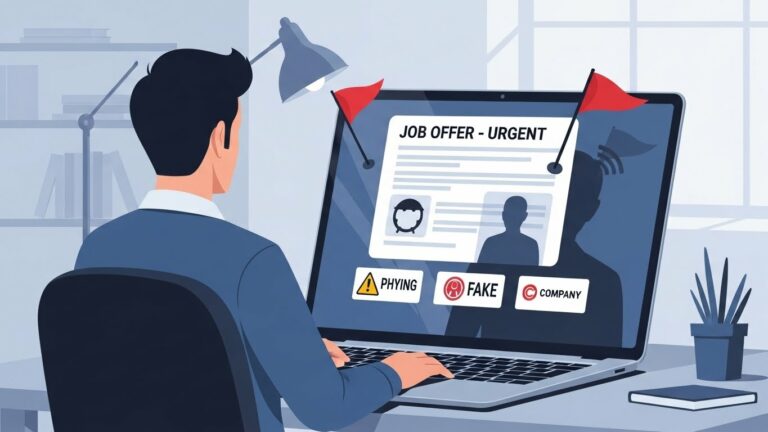
When those are missing? That’s a red flag.
Red Flags That Could Indicate a Scam
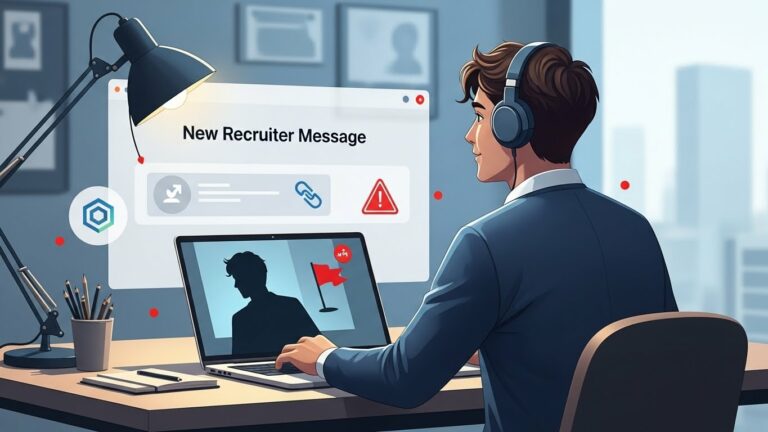
Not every GitHub link means trouble — but if you spot these, back away slowly:
- They ask you to fork or push code to a repo with no connection to a job.
- The repo has vague or missing documentation.
- You’re asked to download and install dependencies without explanation.
- You can’t verify the recruiter’s company affiliation.
- They use a personal Gmail/Yahoo email instead of a corporate domain.
- There’s no official job listing anywhere.
Also, some scammers use GitHub to inject scripts that mine crypto or collect user data when you run the code locally. If they’re pressuring you to “just run it and see what happens,” that’s sketchy.
Common Types of GitHub-Related Job Scams
The tactics are getting smarter — here are some ways shady actors use GitHub as a weapon:
- Crowdsourcing free labor: Recruiters pretend they’re hiring but use your “assessment” to build a real app.
- Phishing via GitHub README links: They include links that lead to login or credential harvesting sites.
- Malicious GitHub Actions: The repo contains workflows that run harmful scripts when cloned or forked.
- Fake GitHub orgs: The company looks real, but is just a shell with repos full of stolen or broken code.
How Scammers Exploit GitHub: Real Examples
- A so-called startup asked 20 devs to “fix bugs” in a repo as part of the interview. All changes were merged — no one got hired.
- A repo disguised as a React test included a Node script that pinged an IP and collected system data.
- Some fake repos include images or links that lead to phishing pages mimicking GitHub login.
Sounds wild? Unfortunately, it’s happening more often than you think.
Checklist to Verify Recruiter Legitimacy
Before doing anything with that repo, run this quick check:
- Does the recruiter have a LinkedIn profile?
- Is their email from a corporate domain (e.g., john@company.com)?
- Is the company’s job posting on their website or platforms like Indeed?
- Does the repo include official documentation or links?
- Do you see other employees from that company on GitHub?
- Was the initial message well-written and personalized?
If you answer “no” to most of these, trust your gut — something’s off.
What to Do If You’re Asked to Clone a Repo
First, don’t panic. Just be smart.
- Inspect the repo online before cloning. You can read the files right from GitHub.
- Check for any suspicious scripts, especially in folders like
/scripts/,.github/workflows/, orpackage.json. - Ask the recruiter questions: Who will be reviewing the test? Is this part of the hiring process? How long will it take?
- Clone in a safe environment — ideally a VM or sandbox.
Also, if the repo seems to ask you to “login” or download executables… run. Or rather, don’t run them.
How to Analyze a GitHub Repository for Safety
Before running any code:
- Look at the commit history. If it’s all made by the same user with no context, be wary.
- Check for GitHub Actions. Sometimes they trigger malicious workflows.
- Avoid running
.sh,.exe, or.pyscripts blindly. - Google suspicious files. If others have flagged the repo, you’ll likely find a forum post or GitHub Issue about it.
Also, don’t ignore a bloated .gitignore or hidden files — they often hide trouble.
Safe Practices When Working with GitHub During Interviews
- Use a virtual machine or Docker container.
- Read every script before you run it.
- Don’t
npm installorpip installrandom packages. - Never enter system passwords or login info into scripts.
- Use a GitHub burner account for assessments.
Better safe than sorry.
Signs You’re Being Exploited for Free Work
One of the dirtiest tricks in the shady recruiter playbook is using GitHub “assignments” as a way to get free labor. It might seem like you’re being tested, but in reality, you’re just finishing someone else’s feature for free.
Here’s how to spot it:
- You’re asked to build something overly complex. Instead of a basic algorithm or UI tweak, you’re tasked with developing a full module, integration, or service.
- No scope limits or deadlines. A real assessment has a clearly defined scope — like “spend 2 hours on this” — while scams tend to be vague like “take your time.”
- They ghost you after submission. If a recruiter vanishes after getting your code, that’s a major red flag.
- You find similar stories online. Others may have worked on the same repo and been ghosted too.
Also, be wary if they ask you to work with a repo that’s part of a live business application. That’s not a test — it’s theft, plain and simple.
Legal and Ethical Concerns Around GitHub-Based Hiring
Some of these sketchy practices don’t just raise eyebrows — they toe the line of legal issues:
- Intellectual property theft: If you’re building or contributing to something commercially valuable, the recruiter or company might be violating labor and IP laws by using unpaid labor.
- Lack of NDAs or contracts: Without paperwork, you have no idea how your code will be used.
- Open-source misuse: Companies might use public GitHub repos to “recruit,” then fork and monetize your code with no credit or compensation.
Ethically, this undermines trust between developers and hiring teams. It also exploits the openness of platforms like GitHub, which are meant for collaboration — not exploitation.
What If You’ve Already Cloned a Suspicious Repo?
Let’s say you already cloned it and now something feels off. Don’t panic — here’s what to do:
- Disconnect from the internet if you think any script might be malicious.
- Check for background processes or connections running on your system (Task Manager or Activity Monitor).
- Run a malware scan with a trusted tool (Malwarebytes, Bitdefender, etc.).
- Review your Git configuration: Run
git config --listand look for any unfamiliar entries. - Delete the repo and wipe any cloned data if unsure.
- Change your GitHub tokens and passwords if you entered any login info or used personal access tokens.
- Check your browser for any extensions or cookies that may have been inserted via phishing.
Being cautious post-clone is just as important as being careful before.
How to Report a Suspicious Recruiter or Repo
If you’ve run into a scammer, don’t just block them and move on — report them.
Here’s how:
- GitHub: Visit GitHub Abuse Reports and provide repo links, screenshots, and descriptions.
- LinkedIn: Use the “Report” feature on the recruiter’s profile if they’re posing as part of a company.
- The actual company: If someone is impersonating a real company, alert their HR department or security team.
- Email providers: If they used Gmail or another service, report the email address as phishing.
- Tech forums (Reddit, StackOverflow): Share your experience so others can avoid the same trap.
Your report might save others from getting exploited.
Final Thoughts: Stay Smart, Stay Skeptical
Here’s the bottom line: just because someone sends you a GitHub link doesn’t mean they’re legit. Cloning a repo should never be step one in a job process. Real recruiters value your time, your privacy, and your safety.
Use your judgment. Ask questions. If something feels off, don’t feel pressured to engage. You have every right to protect your time, your machine, and your code.
Remember: a good job won’t ask you to jump through hoops for free. A good recruiter won’t vanish once your code’s submitted. And no one — I repeat, no one — should be using GitHub as a free labor platform.
FAQs
1. Is it normal for recruiters to send GitHub repos for coding tests?
Yes, it’s fairly common in the tech industry, but only when it’s tied to a legitimate job application process. The repo should include clear instructions, and the recruiter should be verifiable.
2. What are signs that a GitHub repo might be dangerous or a scam?
Look out for vague documentation, missing context, overly complex tasks, strange scripts, or pressure to run/install things without explanation. Always inspect before cloning.
3. Can a GitHub repository contain malware?
Absolutely. While GitHub tries to crack down on malicious repos, scripts can include dangerous code — especially if you install dependencies or run shell scripts without checking.
4. What should I do if I cloned a repo and now feel uneasy?
Immediately stop using that code. Run a virus/malware scan, inspect background processes, and change any credentials you may have exposed. Delete the repo and clean your Git settings.
5. How do I verify if a recruiter is legit?
Check their LinkedIn, verify their email domain, confirm the job exists on official platforms, and don’t hesitate to ask them direct questions. If they dodge answers, that’s a red flag.