The tech industry is booming—and with that boom comes a whole new level of risk for job seekers. Everyone wants a piece of the tech pie, especially those looking to secure high-paying, flexible, and remote roles. But while genuine opportunities abound, so do scammers who’ve caught onto the desperate and fast-paced nature of the job hunt. The more the industry grows, the more attractive it becomes for fraudsters who exploit eager job seekers through increasingly sophisticated interview scams.
With the rise of remote hiring and online interviews, it’s easier than ever for scammers to pretend to be recruiters, HR personnel, or even real employees at top tech companies. These scams are not only common—they’re often hard to detect until it’s too late. Whether you’re fresh out of a bootcamp, a seasoned engineer looking for a change, or someone transitioning into tech, it’s critical to stay informed.
So, let’s dig into the most common job interview scams in tech, how they work, and—most importantly—how you can protect yourself.
Why Tech Job Seekers Are Targeted
Let’s face it: the tech world is lucrative. High-paying salaries, remote perks, and abundant demand for developers, data analysts, engineers, and other roles make the industry irresistible—not just to you, but to scammers too.
Why are tech job seekers such prime targets? For starters:
- High urgency: Many people are transitioning into tech or looking for better opportunities. Scammers capitalize on your eagerness and need for a quick job.
- Remote-friendly: Scammers love that you’re expecting virtual interviews. That makes their fake setup seem normal.
- Less experienced applicants: Newcomers often don’t know how the real hiring process works, making them easier to trick.
Also, tech job descriptions are often vague or flexible, which scammers use to their advantage. And because remote tech roles are in high demand, scammers know you’re probably applying to dozens of jobs at once—making it harder to track details or spot red flags.
Think about it. If someone offers you a $120,000 remote dev job with minimal interviews and says they’ll ship you a laptop…you’re going to be excited. That excitement is exactly what scammers prey on.
Warning Signs of Interview Scams
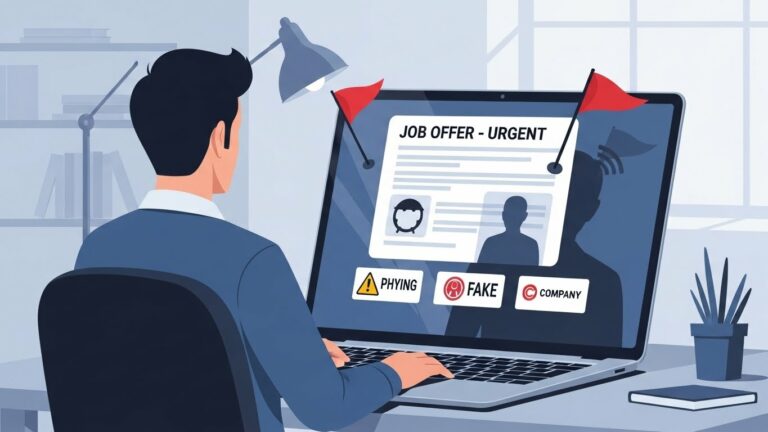
The first defense against a scam is knowing what one looks like. There are always little clues—tiny cracks in the wall—that reveal the truth. Here are the most common red flags:
- Email from a generic domain (like Gmail or Yahoo instead of @company.com)
- Poor grammar or spelling mistakes
- No official company website link or LinkedIn presence
- Rushed process (“We need to hire you today!”)
- Upfront money requests (“Pay for training, background check, or equipment.”)
- Vague job descriptions
- Unprofessional interview setup (like interviewing via Telegram, WhatsApp, or Facebook Messenger)
Also, be cautious of any job offer that comes too fast—like being hired after just one text interview or no technical test. Real tech companies take hiring seriously, and they rarely make offers overnight.
Types of Common Job Interview Scams in Tech
The list of scams targeting tech job seekers is long and getting longer. Let’s break down the most common tactics scammers use in interviews and applications:
- Fake recruiters offering roles that don’t exist
- Phishing emails pretending to be from major tech companies
- Requests for upfront payment for equipment or training
- Identity theft through fake job forms
- Fake interviews using Zoom or Google Meet with fake HR
- Scammers impersonating companies like Google, Amazon, and Meta
- Check-cashing scams where you’re told to deposit a fake check and wire money
- Being asked to buy crypto wallets or accept payment in cryptocurrency
- Paying for “mandatory certifications” before getting hired
- Scam job listings on LinkedIn, Indeed, or even Telegram groups
Each of these scams is different in method, but they all have the same goal: to steal your money, identity, or both.
Fake Recruiter Scams
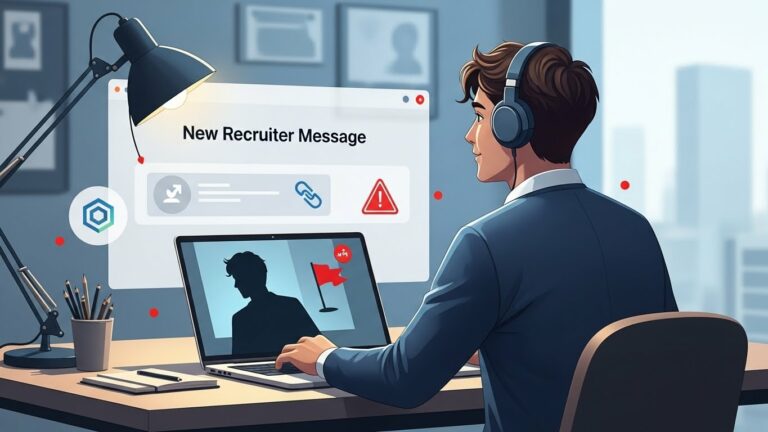
Scammers love to pose as recruiters. They’ll reach out on LinkedIn, via email, or even SMS pretending to work for a legit company like Microsoft or Salesforce. At first, it looks real—logos, titles, and LinkedIn profiles might check out (or almost).
But then they drop the catch: you need to fill out a “pre-employment form” on a sketchy site, or they offer a job without any interview. Sometimes they’ll say they’re hiring urgently and need your personal info right away.
Here’s how to spot them:
- They don’t have a real LinkedIn profile, or it looks fake (few connections, no activity)
- They ask for sensitive info early on (SSN, address, ID photo)
- The company website they give you doesn’t exist—or it’s not connected to the domain their email came from
Want to be safe? Always verify the recruiter’s email domain and reach out to the company directly on their official website.
Phishing Emails Disguised as Job Offers
You open your inbox and there it is: a message that looks like it’s from a company like Google, Netflix, or IBM. It says you’ve been shortlisted for an interview or even selected for a role you didn’t apply for. The logo looks legit. The language? Professional. But there’s one problem—it’s fake.
Phishing emails are one of the most common tactics used in tech job scams. These messages are designed to look like real job offers and trick you into clicking malicious links or sharing personal information. Here’s how they work:
- The email contains a “click here to apply” or “confirm your job acceptance” link.
- The link sends you to a fake portal that collects your sensitive data—name, address, SSN, even bank details.
- Sometimes, they’ll ask you to download an “interview software”, which is actually malware.
These emails may appear to come from real domains at first glance, but if you hover over the sender’s address, you’ll often find it’s a variation of the real thing, like careers-googleteam@jobmail.com instead of an official Google domain.
Tips to stay safe:
- Never click on suspicious links from unknown senders.
- Verify the email address and domain.
- Don’t download attachments unless you’re 100% sure of the source.
- Use spam filters and report phishing attempts to your email provider.
Remember: real companies will never send you a job offer or interview invite out of the blue without a proper application and vetting process.
Requests for Upfront Payment
This scam is simple but effective: you’re told that you’re hired, but there’s a catch—you need to pay for something before you start.
It could be:
- A background check fee
- A training course you supposedly need to complete
- A security deposit for company equipment
- An onboarding fee
Scammers often pressure you, saying things like “we need this today to finalize your hiring.” They’ll ask you to send money via wire transfer, PayPal, Zelle, or even crypto.
But here’s the truth: no legitimate tech company will ever ask you for money to get hired. It doesn’t matter if it’s Google, a startup, or an outsourcing firm. If someone’s asking for cash before you even start, walk away.
Red flags include:
- Payment requests through gift cards or crypto
- Claims of urgent processing needs
- No written contract or formal onboarding process
Always remember—you’re the one getting paid for your work, not the other way around.
Identity Theft Through Resumes and Applications
Believe it or not, your resume is a goldmine for identity thieves. It contains your full name, phone number, email, work history—and sometimes even your address. Scammers posing as recruiters or HR personnel may ask for even more:
- Scanned ID documents
- Social Security Number or National ID
- Bank account info for “direct deposit”
- Copies of utility bills or tax forms
Once they have this data, they can:
- Open credit accounts in your name
- Commit tax fraud
- Sell your information on the dark web
How to stay safe:
- Never share your SSN or government ID unless it’s through a verified, secure company portal after receiving an official job offer.
- Use a virtual number or email for job applications.
- Avoid adding your full address to resumes unless required.
Protect your data like it’s cash—because in the wrong hands, it can cost you more than money.
Fake Interviews with Real Company Names
One of the most dangerous scams is when fraudsters pose as HR from real companies—sometimes even using stolen names and LinkedIn profiles to look convincing. They’ll schedule Zoom or Google Meet interviews, send you fake HR documents, and even offer a job after one chat.
Here’s how they pull it off:
- Use slightly altered email domains like
@amaz0n.jobsor@micros0ft-careers.com - Send fake job offer letters using real company letterheads
- Create fake company portals where you’re asked to input your personal info
They may even give you a link to a fake HR system and ask you to complete onboarding steps—including payment.
To avoid this:
- Double-check the recruiter’s name and cross-verify with the company’s official LinkedIn page or HR team.
- Ask for a video call and request that they turn their camera on. Scammers often hide behind voice-only calls.
- Look at the domain of any company portal or email—it should match the company’s real website exactly.
When in doubt, reach out to the company’s HR via their official site to confirm the interview is real.
Scammers Posing as Tech Giants
It’s easy to trust a company when it’s got a big name like Google, Amazon, Apple, or Meta. That’s exactly why scammers love pretending to be them.
These scams often involve:
- Job listings that look identical to real ones
- Emails with company branding and logos
- HR reps with LinkedIn pages mimicking real employees
The problem? They’re not actually connected to the company at all. Some even use real job listings to build credibility but direct you to fake application sites.
You might be told:
- You’re pre-selected for a remote job
- There’s an onboarding fee
- You must complete an “internal” training course
Real-life example: A wave of scammers impersonated Amazon during 2023 and 2024, offering work-from-home customer support roles and tricking applicants into paying $150 for training kits.
To verify authenticity:
- Check if the job is listed on the company’s official careers page
- Contact the company via their official support email or LinkedIn HR team
- Never trust interviews hosted solely on messaging apps like Telegram or WhatsApp
Check Cashing & Equipment Purchase Scams
This one’s particularly nasty. The scam starts with the “employer” sending you a check to cover the cost of equipment, usually after they’ve “hired” you.
They’ll say:
“Here’s $3,000 for your new laptop and headset. Deposit it, buy the gear from our vendor, and keep the rest as your first bonus!”
But the check is fake.
What happens next?
- You deposit the check
- It initially clears, so you send money to the “vendor”
- A few days later, the bank realizes it’s a fraud—and you’re responsible for the lost funds
No legit company will ask you to buy equipment with your own money or deposit checks from unknown sources. If a company wants to send you gear, they’ll ship it directly.
Crypto Payment or Wallet Setup Requests
Some scammers are now asking candidates to:
- Set up a crypto wallet “for payroll”
- Receive payment in Bitcoin or Ethereum
- Pay onboarding fees in crypto
Sounds futuristic, right? But it’s just another way to make your money disappear—with zero trace.
No legitimate employer in tech is going to pay you in crypto without official documentation or require you to send crypto to secure your position. If you’re being asked to install a wallet and fund it for any job, run.
Training or Certification Fee Scams
Here’s a popular one, especially aimed at newcomers to tech: a recruiter or “company rep” reaches out and tells you that you’re the perfect fit for a role—but there’s a catch.
You’ll need to complete a mandatory training course or certification before you can officially join. They might even claim the company won’t consider you unless you’re “certified” in their preferred program, which—you guessed it—they happen to offer for a fee.
Here’s how it usually unfolds:
- You’re offered a job conditionally, pending training.
- The course is hosted on a sketchy third-party site.
- You’re asked to pay hundreds (sometimes thousands) of dollars.
- After payment, communication drops—or worse, they try to upsell more “levels” of certification.
Sometimes the scammers use real tech terms like “AWS Cloud Training” or “Scrum Master Certification” to make it sound legitimate.
How to spot the scam:
- Real companies don’t require you to pay for their training upfront.
- Legit employers might reimburse external certification after hiring, not before.
- If they’re pushing one specific vendor or course and tying it directly to job eligibility, be cautious.
Want training? Go straight to trusted sources like:
- Coursera
- edX
- LinkedIn Learning
- Official sites like Microsoft Learn or AWS Training
Never trust training offers tied to job promises—especially if you have to pay first.
Job Boards and Social Media Scams
You’re probably scrolling LinkedIn or Indeed every day for leads. But unfortunately, not even those platforms are safe anymore.
Scammers are creating fake company pages, job listings, and even fake recruiter accounts on:
- Indeed
- Facebook job groups
- Telegram job channels
They’ll post attractive remote tech jobs with:
- High salaries
- Flexible hours
- Minimal qualifications
Once you engage, they move the conversation to WhatsApp or Telegram, where the scam begins—asking for personal data, payment, or sending phishing links.
Tips to avoid job board scams:
- Apply only through verified company websites.
- If a recruiter reaches out on social media, check their profile thoroughly.
- Be wary of Telegram or WhatsApp-based hiring—no serious tech company interviews this way.
- If a job sounds too good to be true, it probably is.
Also, remember that job boards don’t always verify postings, especially on social media. Scammers take advantage of this and can even pay to promote fake listings.
How to Protect Yourself
Now that you know the most common scams, it’s time to armor up. Staying safe in the tech job market isn’t just about being skeptical—it’s about being proactive.
Here’s your digital defense plan:
✅ Research Every Company and Recruiter
- Google the company name with the word “scam” or “reviews.”
- Check if the company has a professional website and real employees on LinkedIn.
- Look up the recruiter’s name and profile—does it seem legit? Do they work there?
✅ Use Official Application Channels
- Always apply via the company’s career page.
- Avoid sending personal info over email or messaging apps.
- Ask to move conversations to official emails if approached via social media.
✅ Trust Your Gut
- If something feels off—rushed, overly generous, or secretive—it’s likely a scam.
- Always double-check domains, emails, and job postings.
- Real companies are not in a hurry to hire you in a single day.
✅ Keep Personal Info Private
- Don’t share sensitive data (SSN, passport, banking info) before an official offer.
- Consider using a job-specific email or virtual phone number for applications.
✅ Install Antivirus and Use a VPN
Some scams include sending links that install spyware or malware. Protect your devices while applying for jobs by using reliable antivirus tools and a VPN to keep your data secure.
What to Do If You’re Targeted
So what if you’ve already been approached—or worse, you’ve fallen for a scam?
First, don’t panic. It happens to a lot of people. Here’s what you should do right away:
1. Stop All Communication
- Don’t respond to the scammer again.
- Block them on every platform.
2. Report It
- Report to platforms like LinkedIn, Indeed, or Telegram.
- File a complaint with:
- FTC
- IC3 (Internet Crime Complaint Center)
- Your country’s consumer protection agency
3. Protect Your Finances
- If you sent money, contact your bank immediately to block transactions.
- If you used a debit or credit card, request a chargeback or cancel the card.
4. Safeguard Your Identity
- If you gave out SSN, ID, or personal documents, consider freezing your credit.
- Monitor your credit report for unusual activity.
5. Warn Others
- Leave a review or comment on scam-tracking forums.
- Share your story on Reddit or Twitter to help others avoid the same trap.
You’re not alone. Reporting these incidents helps the tech community become smarter, safer, and more aware.
Conclusion
The tech industry is full of exciting, real opportunities—but it’s also a playground for scammers who thrive on deception. As job seekers, especially in a fast-paced, remote-friendly market, we must be sharper than ever.
Remember: If a job seems too good to be true, it probably is. From fake recruiters to phishing emails, check-cashing scams to training fee frauds—these schemes are designed to exploit your trust and excitement.
But you’re now armed with the knowledge to spot the red flags, verify every detail, and walk away from shady offers with confidence. Share this with your peers, stay alert, and never let desperation lead you into danger.
Good luck with your job hunt—and stay safe out there.
FAQs
1. What should I do if I sent personal info to a scammer?
Immediately freeze your credit, monitor your accounts, and report the scam to authorities like the FTC and credit bureaus. You may also want to file a police report for added protection.
2. Are tech interviews on Telegram legitimate?
No reputable company conducts official interviews on Telegram, WhatsApp, or Facebook Messenger. Always move conversations to email or video interviews using official company domains.
3. How can I verify a recruiter is real?
Search for their name on LinkedIn and check if they are connected to the actual company. Reach out to the company’s HR or careers page to cross-verify before engaging further.
4. What is the safest way to apply for tech jobs?
Always use the company’s official career page or trusted job boards like Stack Overflow Jobs, AngelList, or GitHub Careers. Avoid clicking on unknown job links sent through DMs.
5. Can job scams happen even on platforms like LinkedIn?
Yes. Scammers create fake profiles and job postings even on professional platforms. Always verify profiles, domains, and job listings before applying or sharing personal information.